Proxy configuration on Samsung Galaxy Y
- Go to the application drawer and run Settings.
- Select Wireless and networks settings.
- Select Wi-Fi settings.
- Select Advanced settings from the menu.
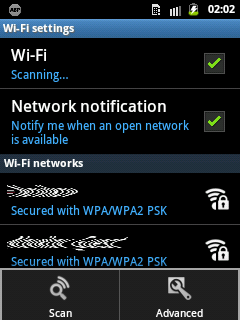
- Find the Proxy and Port settings:
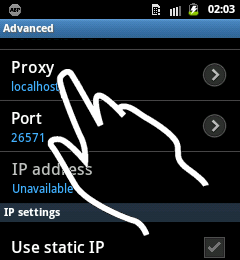
- Set Proxy to
localhostand Port to the number displayed by Adblock Plus: